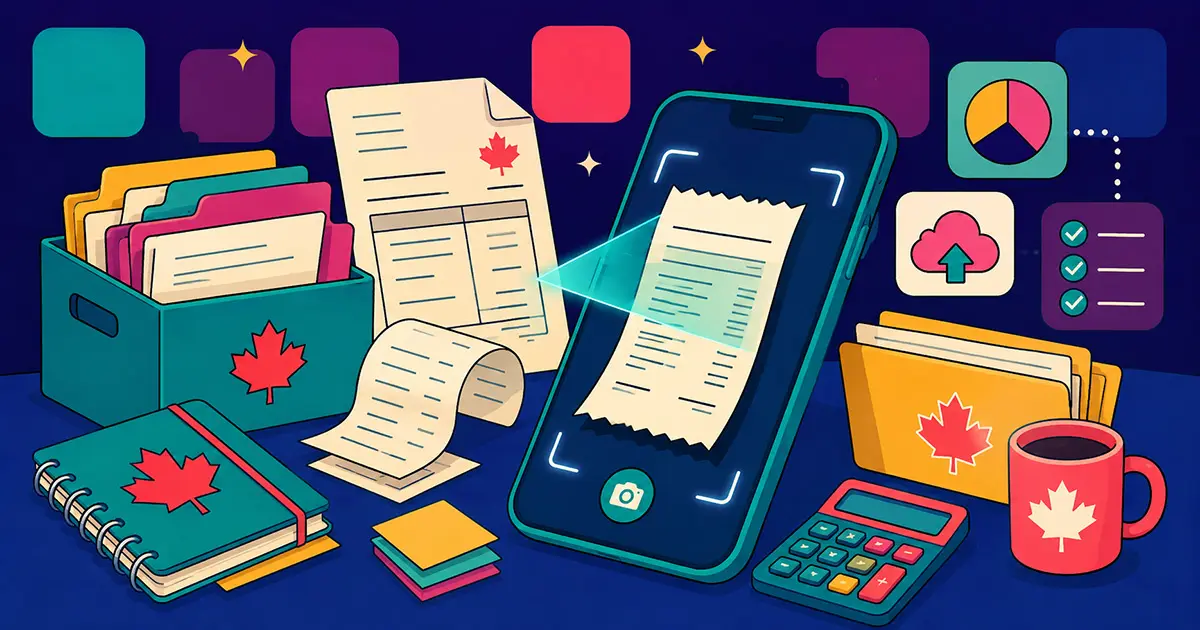
If you run a small business or freelance in Canada, you already know the pain: paper receipts pile up, email confirmations get buried, and tax season turns into a frantic search through shoeboxes and inboxes. A good receipt scanner app eliminates all of that — but choosing the wrong one means dealing with poor GST/HST support, scan limits, or an app that was never designed with CRA requirements in mind.
This guide compares the six best receipt scanner apps for Canadian small businesses in 2026. We evaluated each one on scanning accuracy, CRA compliance, GST/HST handling, pricing, and features that actually matter for Canadian freelancers — not just US-focused reviewers padding a list.
What to Look for in a Receipt Scanner App (Canada-Specific)
Before comparing apps, these are the criteria that matter most for Canadian users:
- CRA compliance — Digital records must be legible, complete, and backed up. The app must store images in a format that meets CRA's electronic records requirements.
- GST/HST extraction — The app should detect and separate GST/HST from the total automatically — not just extract a lump sum.
- Multi-currency support — If you invoice US clients or travel for work, you need proper currency handling across multiple currencies.
- Email forwarding — The ability to forward receipt emails directly to the app saves significant time.
- Cloud backup — CRA requires at least one backup copy in a separate location. Built-in Google Drive or Dropbox backup satisfies this automatically.
- Ease of use — The best app is the one you actually use — mobile-first, fast, and minimal friction.
Note on Canadian sales tax: If your business operates in British Columbia, Manitoba, or Saskatchewan, you also deal with PST on top of GST. In Quebec, it's QST instead of HST. The best receipt scanner apps for Canada handle these provincial tax variations automatically — extracting and separating each tax type so your ITC claims and provincial returns are accurate.
Quick Comparison — Top Receipt Scanner Apps for Canada
| App | Free Plan | Pro Pricing | CRA-Ready | GST/HST | Email Forwarding | Cloud Backup |
|---|---|---|---|---|---|---|
| iSaveBill | ✅ Yes | $7.99/mo USD | ✅ Yes | ✅ Yes | ✅ Yes | ✅ Google Drive + Dropbox |
| SparkReceipt | ✅ 15 scans/mo | ~$10.99/mo USD | ✅ Yes | ⚠️ Partial | ⚠️ Gmail/Outlook inbox scanning | ✅ Cloud |
| Dext | ❌ No | ~$24/mo USD | ✅ Yes | ✅ Yes | ✅ Yes | ✅ Cloud |
| Wave | ✅ Free accounting | $11/mo USD | ✅ Yes | ✅ Yes | ❌ No | ✅ Cloud |
| Expensify | ✅ Limited | ~$10/mo USD | ⚠️ Partial | ⚠️ Partial | ✅ Yes | ✅ Cloud |
| Zoho Expense | ✅ 3 users | ~$5/mo USD | ⚠️ Partial | ⚠️ Partial | ❌ No | ✅ Cloud |
The 6 Best Receipt Scanner Apps for Canadian Small Businesses
1. iSaveBill — Best Overall for Canadian Freelancers and Small Businesses
iSaveBill is built for Canadian and US small businesses, with CRA compliance designed in from the start — not bolted on as an afterthought. It uses AI to extract merchant name, date, total, GST/HST, currency, and category from receipt photos, PDFs, and forwarded emails automatically.
- AI receipt scanning — photos, PDFs, and email forwarding to upload@isavebill.com
- GST/HST extraction and multi-currency support (~170 currencies)
- Automatic backup to Google Drive and Dropbox
- Invoice generation with email sending
- Group expense splitting
- Import bank e-statements (AI extracts transactions)
- Recurring payment tracking
- Return and warranty tracker
- Webhooks (Zapier, Make.com, n8n)
- Available as web app, PWA, iOS, and Android
Pricing: Free plan includes core receipt scanning and expense tracking. Pro: $7.99/month USD — unlimited uploads, all features, email forwarding, and cloud backup.
🎉 Exclusive offer — first month free
Try iSaveBill Pro free for your first month. Use code below at signup:
Best for: Canadian and US freelancers, consultants, and small business owners who want CRA-ready expense tracking with automatic cloud backup at an affordable price.
2. SparkReceipt — Best Free Tier for Casual Users
SparkReceipt offers a generous free tier with 15 scans per month and AI-powered extraction. It covers CRA compliance well in its documentation but email forwarding is not available and the free tier is limited to low-volume users.
- AI OCR, expense categorization, multi-user support, CRA-focused content
Pricing: Free (15 scans/mo), paid from ~$10.99/mo USD.
Note: SparkReceipt connects directly to Gmail and Outlook to scan your inbox automatically — no dedicated forwarding address, but functionally similar for email receipts.
Best for: Freelancers who need a free scanner for occasional use and don't need email forwarding.
3. Dext — Best for Accounting Firms and Bookkeepers
Dext (formerly Receipt Bank) is a professional-grade document capture tool built for accountants managing multiple clients. It has strong GST/HST support and integrates deeply with QuickBooks and Xero. However there is no free plan, it starts at ~$24/mo USD, and it is significantly more complex than what a solo freelancer needs.
- Multi-client management, strong OCR, QuickBooks/Xero/Sage integration, email forwarding
Pricing: From ~$24/mo USD (no free plan).
Looking for a Dext alternative in Canada at a lower price? iSaveBill covers the core receipt scanning and email forwarding features that most freelancers need at $7.99/month USD.
Best for: Bookkeepers and accounting firms managing client expenses — overkill for solo freelancers.
4. Wave — Best Free Option with Accounting Built In
Wave is Canadian-built and handles GST/HST properly. Core accounting and invoicing are free. Receipt scanning is a paid add-on at $11/mo USD. The limitation: no email forwarding and OCR accuracy is more basic than dedicated receipt apps.
- Free accounting and invoicing, GST/HST support, bank feeds
Pricing: Free (accounting), $11/mo USD (receipts add-on), $25/mo USD (Pro).
Best for: New freelancers who want free accounting software with basic receipt scanning in one place.
5. Expensify — Best for Teams with Travel Expenses
Expensify is strong for teams that travel frequently — SmartScan OCR, mileage tracking, and corporate card integration. For Canadian solo freelancers it is overcomplicated and GST/HST handling requires manual setup.
- SmartScan OCR, mileage tracking, corporate card sync, team approval workflows
Pricing: From ~$10/mo USD per user.
Best for: Small teams with travel and corporate card expenses — not ideal for solo Canadian freelancers.
6. Zoho Expense — Best Budget Option for Small Teams
Zoho Expense has a free plan for up to 3 users and paid plans from ~$5/mo USD. It covers basic receipt scanning and expense reporting. GST/HST support requires manual configuration and there is no email forwarding.
- Multi-user free plan, expense reports, basic OCR, Zoho ecosystem integration
Pricing: Free (3 users), from ~$5/mo USD.
Best for: Small teams already using Zoho products who need basic expense tracking.
Try iSaveBill free — built for Canada and the US
No credit card required. Scan your first receipt in under 60 seconds. GST/HST extraction and CRA-compliant cloud backup included on every plan.
Get Started Free →How to Choose the Right Receipt Scanner for Your Business
If you are a solo freelancer or consultant: iSaveBill or Wave. iSaveBill has more receipt-specific features and automatic cloud backup. Wave is better if you want free accounting software bundled in.
If you forward a lot of receipt emails: iSaveBill is the only app in this list with full email forwarding at the $7.99/mo price point. Dext also has it but costs 3x more.
If you work with an accountant or bookkeeper: Dext is the industry standard for accountants. Ask your bookkeeper what they prefer before choosing — it may save you time on reconciliation.
If you are just starting out and want free: Wave (free accounting + $11/mo USD receipts add-on) or SparkReceipt (15 free scans/mo). iSaveBill also has a free plan for basic use.
If you invoice clients in multiple currencies: iSaveBill supports ~170 currencies with conversion locked at receipt-save time. Most competitors handle only a handful of currencies.
Frequently Asked Questions
What is the best receipt scanner app for Canada?
For Canadian freelancers and small businesses, iSaveBill is the strongest all-round choice — it extracts GST/HST automatically, supports email forwarding, backs up to Google Drive and Dropbox, and starts at $7.99/month USD. Wave is the best free option if you also want accounting software included.
Do receipt scanner apps meet CRA requirements?
Yes, if the app stores clear, legible digital images and provides cloud backup. CRA accepts digital records as long as they are complete reproductions of the original and backed up in a separate location. iSaveBill, Wave, and Dext all meet these requirements.
Is there a free receipt scanner app for Canadian small businesses?
Yes. iSaveBill has a free plan for basic scanning. SparkReceipt offers 15 free scans per month. Wave provides free accounting with a receipt scanning add-on at $11/mo USD.
Does the receipt scanner need to extract GST/HST separately?
For CRA input tax credit claims, yes — you need the GST/HST amount separated from the total. iSaveBill, Wave, and Dext extract GST/HST automatically. Expensify and Zoho Expense require manual configuration.
What is the most affordable receipt scanner app with email forwarding?
iSaveBill at $7.99/mo USD is the most affordable option that includes email forwarding. The next option is Dext, which starts at ~$24/mo USD — roughly 3x the price.
Bottom Line
For most Canadian freelancers and small business owners, iSaveBill offers the best balance of features and price — AI-powered scanning, CRA-ready digital storage, GST/HST extraction, email forwarding, and automatic Google Drive and Dropbox backup at $7.99/month USD. Wave is the best free alternative if you want accounting software bundled with basic receipt scanning. Dext is worth considering if you work with a bookkeeper who already uses it. Whatever you choose, make sure the app meets CRA's digital record requirements — read our guide on how long you need to keep receipts, CRA receipt requirements, and going paperless for the full details.